|
|
 ENG > Product > SmartPaint ENG > Product > SmartPaint |
 SmartPaint SmartPaint |
|
|
|
|
|
|
|
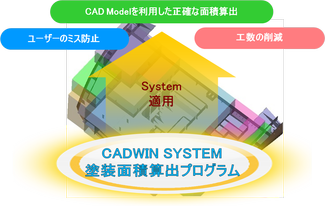
- A program that simplifies the complex and difficult painting area calculation method
- Applying the paint area calculation system improves productivity (reduces work time/ man hours) and also improves its accuracy
|
|
|
|
|
|
|
|
|
|
|
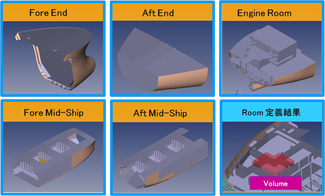
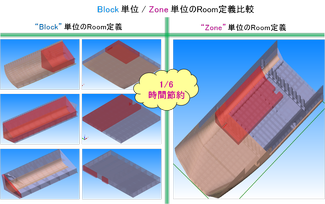
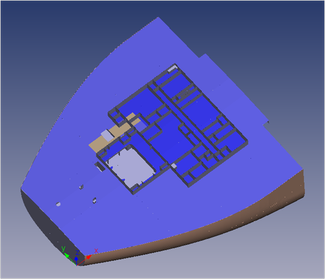
01. Room defining function of Zone model-based
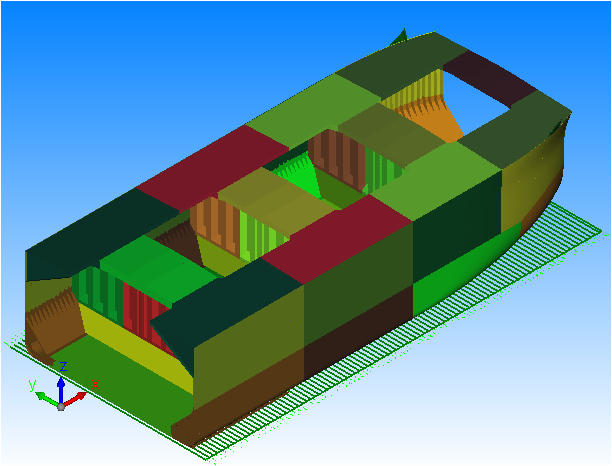
- Generates Zone models based on the Model saved in Tribon/AM
- Offers a separate and specialized Zone model extraction program
- Also define a Room consisting of block/multi block unit
|
|
|
|
|
|
|
|
|
|
|
- User can intuitively define a Room and maximizes the convenience
of the user
- Saves working time
|
|
|
|
|
|
|
|
|
|
|
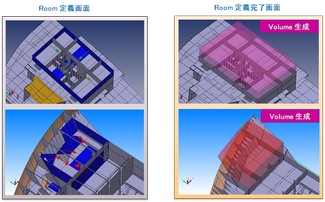
02. Room defining function by minimum selection (Volume type)
- Room is defined by selecting all the parts that is positioned on the
boundary that you want to make, This is a simple and intuitive
method. (it is also very easy to generate Concaves shapes, including
Corrugates)
- It is very easy and fast to define spaces such as Tank and Hold
- every parts that are included in the defined Volume will be reflected to
the painting area calculation
|
|
|
|
|
|
|
|
|
|
|
03. Room defining function of “Deck” (Face Type)
- A function that calculate the painting area of the selected parts
- Through Click & Drag, it is very easy to select the parts
- Contains various editing functions (such as Cutting and Division etc)
so it’s able to produce various surface of CASE
|
|
|
|
|
|
|
|
|
|
|
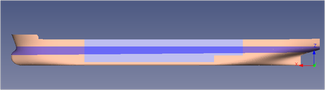
04. Room defining function of “SHELL”
- Optimized function for SHELL area calculation
- automatically defines the Room of the SHELL refer to the separation
line for painting work. This maximizes the users’ working efficiency
- The outer area of the SHELL parts is automatically calculated
|
|
|
|
|
|
|
|
|
|
|
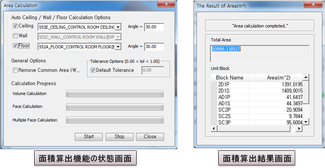
05. Area calculation function
- Function to calculate the area included in the defined Room (Volume,
Face, Auto Shell Face Type)
- The painting area is calculated in Block units that is devided from the
Room that is defined in the Zone
- Contains options in the area calculation function that takes the
thickness/area of overlapped area between the parts into account
- Includes an option that refers to the Paint Spec. and automatically
separates the floor, ceiling and wall
|
|
|
|
|
|
|
|
|
|
|
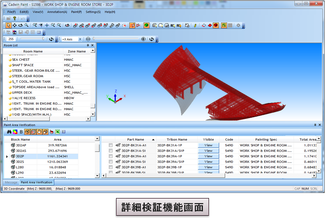
06. Area calculation verification function
- Verifies the result of the painting area calculation in block Unit
- Detailed verification is available by using parts model which are in the
block
- Verification of area calculation
result in part units (Verifies various results such as area and assembly
tree information)
- The area calculation results are linked with the model that has been
loaded in the viewer, so users can intuitively verify
|
|
|
|
|
|
|
|
|
|
|
07. Painting area calculation output function
- Various output functions
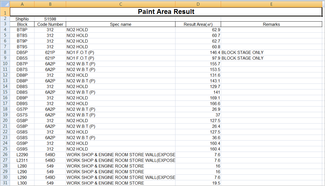
- Outputs the area calculation results of the block unit
- Outputs the area calculation results of the assembly unit
- Outputs the area calculation results of the part unit in the block
※ It may then be saved in various forms, not just in Excel.
|
|
|
|
|
|
|
|
|
|
|
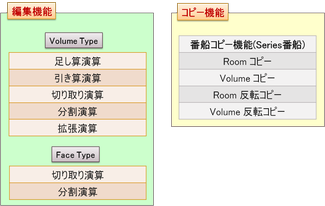
- Provides editing function that improves the accuracy of the Room
defining
- Provides copying function that Minimizes the repetitive and redundant
tasks of the user
|
|
|
|
|
|
|
|
|
|
|
01. Accuracy of area calculations
- Reduction of costs due to accuracy of painting area calculations
02. Room defining function support of ZONE model-based
- Reduction of work time due to intuitive Room defining
03. Convenient Room defined function (simple Room definition)
- Minimization of work time through simplification of the Room defined
function
04. Re-use maximization from Room editing
- Maximize the efficiency by supporting Room definition of various
CASE
|
|
|
|
| |
#507, Design Center, 57. Centum Dong-ro, Haeundae-gu, Busan, Korea
Tel : +82-51-743-2184 / Fax : +82-51-743-2186
CopyrightⓒCadwin System Co.,Ltd. All Rights Reserved.
|
 |
|

 CadwinNesting