|
|
 ENG > Product > EASY DRAW
 |
|
|
|
|
|
|
|
A software that consists of functions necessary for work diagram generations, Easy Draw generates accurate diagram drawings and minimizes the user’s work time. |
|
|
|
|
Revision management function
|
|
|
|
|
|
|
|
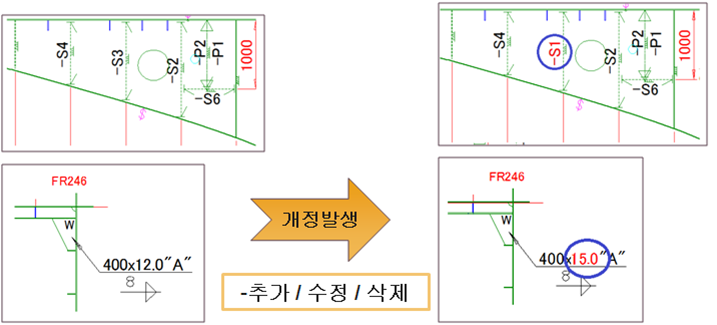
- Using the information generated from EasyDraw and cognize
amendments if revision occurred in the model, EasyDraw
automatically modifies/reflects every time the user uses the “Model
Recreate” function.
- If information is added, modified or deleted, it is then automatically
reflected accordingly in the drawing.
- The position, font, color, etc. that the user modifies will be maintained
and the revised data will be updated.
- Provides an optional “simple check” and “selective information
correction”.
|
|
|
|
|
|
|
|
|
|
|
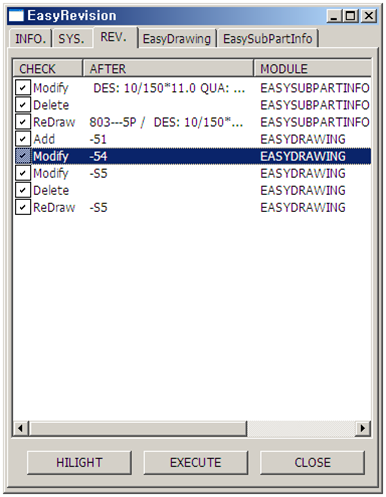
-Automatically scans and inspects for any modified items in the
selected drawing
-Users can select item modification by using the check list.
-According to the type of modified drawing, there are
Modify/Redraw/Delete classification displays
|
|
|
|
|
|
|
|
|
|
|
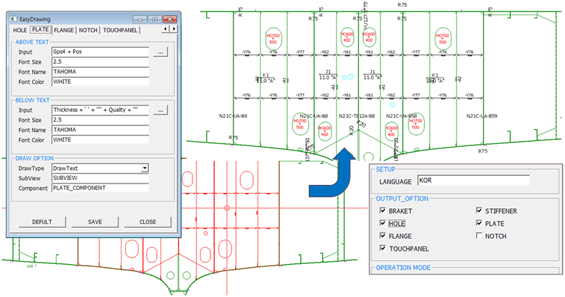
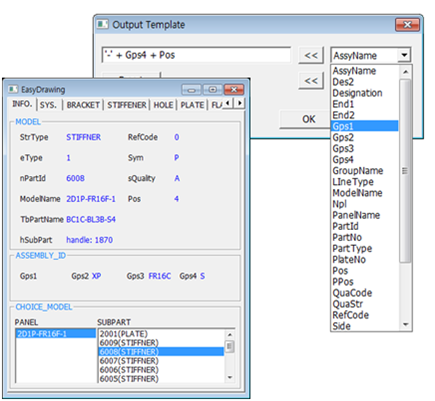
- Users can alter the color, font and size of the information to be
displayed and the actual content of the displayed information
- Supports outputs from special forms by creating a separate function
file
- Through the INI configuration file sharing, EasyDraw can support
same form of work between all designers
|
|
|
|
|
|
|
|
|
|
|
01. 01. Main Item-EasyDraw
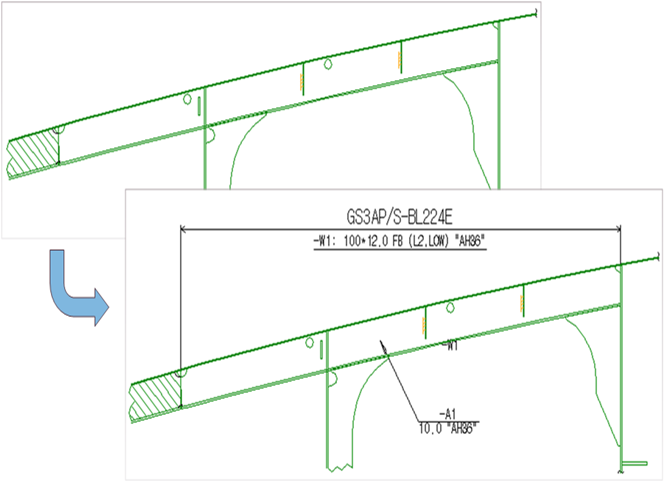
- Automatically displays information on stiffener, bracket, hole, plate,
flange, notch, touch panel, clip, etc. according to the selected panel
- Besides the information to be displayed, users may also personalize
the output adjustment in the form desired.
|
|
|
|
|
|
|
|
|
|
|
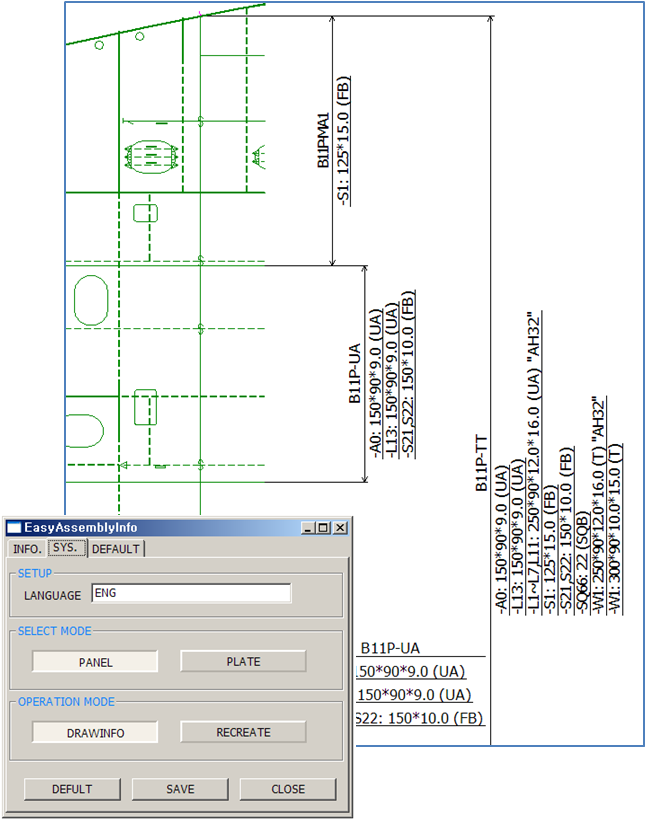
02. EasyAssemblyInfo
- Apart from the panel/plate, combined information on attached angles
(such as stiffener and flange) and its vertical
dimension/horizontal dimension may be displayed on screen.
- Displays information regarding the U/V direction shrinkage
|
|
|
|
|
|
|
|
|
|
|
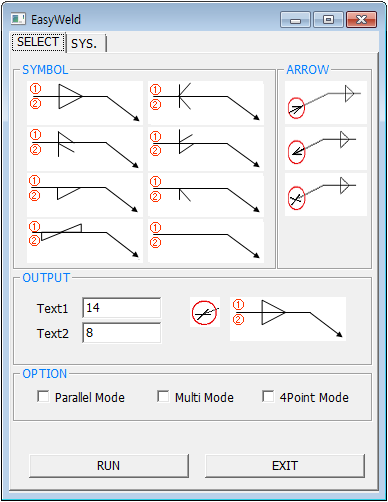
03. EasyWeldSymbol
- Welding leg length can be easily displayed through selecting symbols
- Select the kind of symbol and enter the text to be displayed
above/below (the symbol)
|
|
|
|
|
| |
|
|
|
|
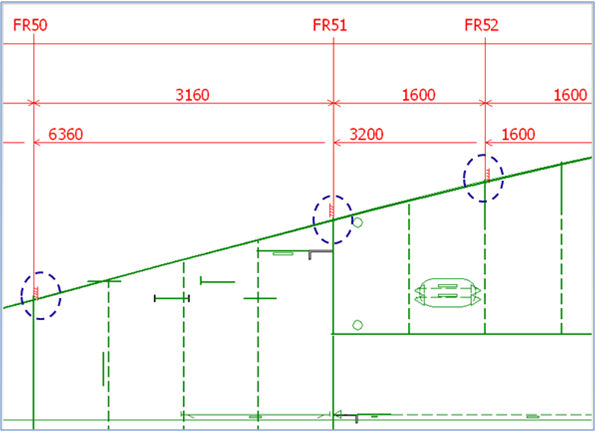
04. EasyRuler
- Displays a ruler and dimensions on the drawing directing towards
position the user selects
- Users can personalize features and alter the ruler interval, text
attributes, etc.
- Display the cumulative/interval dimensions
- Mould Symbol display function
|
|
|
|
|
| |
|
|
|
|
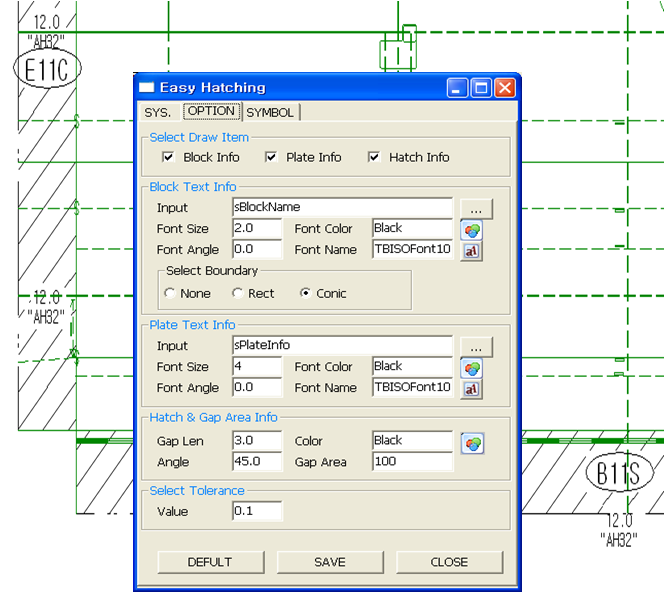
05. EasyHatching
- Display hatching information on blocks that is not currently worked on
- Alter attribute settings for the information display through the optional
feature
|
|
|
|
|
| |
|
|
|
|
06. EasyBevel
- Displays bevel information on the seam or boundary of the panel
- Bevel output information: type, side (FOR / AFT, TOP, BOT, SB / PS),
chamfer
|
|
|
|
|
| |
|
|
|
|
07. EasyMargin
- Automatically displays information regarding the seam, limit or margin
of the panel on the drawing
- Select the position of the information display through the optional
feature (Automatic or manual)
|
|
|
|
|
| |
|
|
|
|
08. EasyBuilt-up
- View the information of the Built Up member
- Individually display the information of the panel name, face, web, etc.
that is affiliated with the Built-up
|
|
|
|
| |
#507, Design Center, 57. Centum Dong-ro, Haeundae-gu, Busan, Korea
Tel : +82-51-743-2184 / Fax : +82-51-743-2186
CopyrightⓒCadwin System Co.,Ltd. All Rights Reserved.
|
 |
|

 CadwinNesting