|
|
 ENG > Product > CABLE ROUTING
 |
|
|
|
|
|
|
|
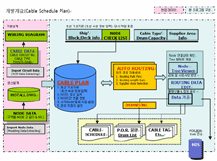
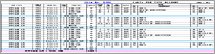
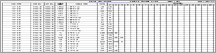
- Cable Schedule automation that Wiring Diagram of basic design
phase consistently use Data regarding to Cable (not only installation
drawing of production design, but also POR and BOM),then effective
administration of Data and design Data can be work with MIS, by
doing so integrates management of Design/Production/purchase
information. |
|
|
|
|
|
|
|
- Basic design of Data regarding to Cable |
|
|
|
|
|
|
- Searching and identifying the optimal path of the cable
- Automatically extract the edge length between nodes and the length of the equipment
- Calculation of the purchasing amount of the cable
- Providing electrical cable management and automatic cable placement information
- Node Schematic Tree
- Providing report on various electrical business support
- Integration of POR information and ERP system (ERP data transfer function)
- Optimized material extraction of various Cable data
- Simplification and Minimization of cable data’s input matters
- Supports Excel upload and download functions
- Supports the data operating environment convenient to the user
- Locks as well as manages revision at each time POR is operated
|
|
|
|
|
|
|
|
|
|
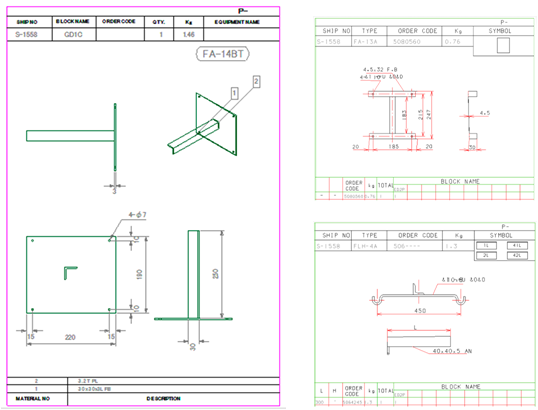
- Standard Type Seat
- Special Type Seat
- Auto Dimension
- Plan / Sect. / Elev. / IOS
- Block
- Drawing Symbol Display
- Weight, Type m, Order Code
|
|
|
|
|
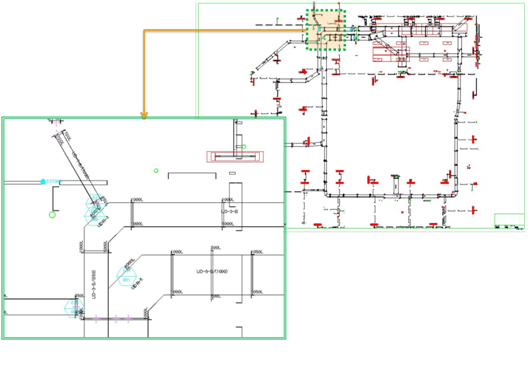
Electric Install Drawing'
|
|
|
|
|
|
|
|
- Outfitting 3D Model To 2D Draft Drawing
- Tray Name / Tray Support Height Display
- Drawing Management
- Model Attribute Auto Label Drawing
- Equipment Info Label Drawing
- Drawing Enlarge?Support Detail View Edit Function
- Dimension
- Node Schematic Auto Drawing
- Node Symbol(Node Name) Drawing
- Adjust Drawing Scale
- Frame / Lounge Ruler
- Support Drawing Additional Function
|
|
|
|
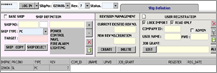
 Turn ship definition screen Turn ship definition screen |
 |
|
|
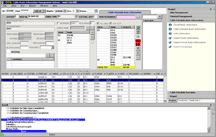
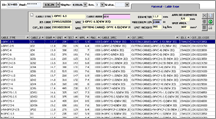
| Cable List screen and Drum standard-setting screen |
 |
|
| Routing and automatic route calculation screen |
 |
|
|
|
|
|
|
|
1. Maximizes the efficiency of man-hours put into design with a limited number of designers for POR
2. Very fast calculation (through revision control
3. Provides a great and convenient working environment with the multi-user options (Creates
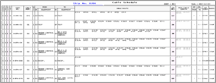
4. Automatically generates various reports that corresponds to the electrical business (Schedule, POR, Drum List,
Cable Tag, etc.)
5. Optimizes the cost of raw materials to be purchased by calculating the shortest distance |
|
|
|


 CadwinNesting